
We want to make sure your release gets to stores as soon as possible, so follow this simple guide to help our moderation team save time when reviewing your release!
If your RouteNote release has more than one track on it, you’ll need to be sure to follow the policies stores have in place for releases with multiple tracks.
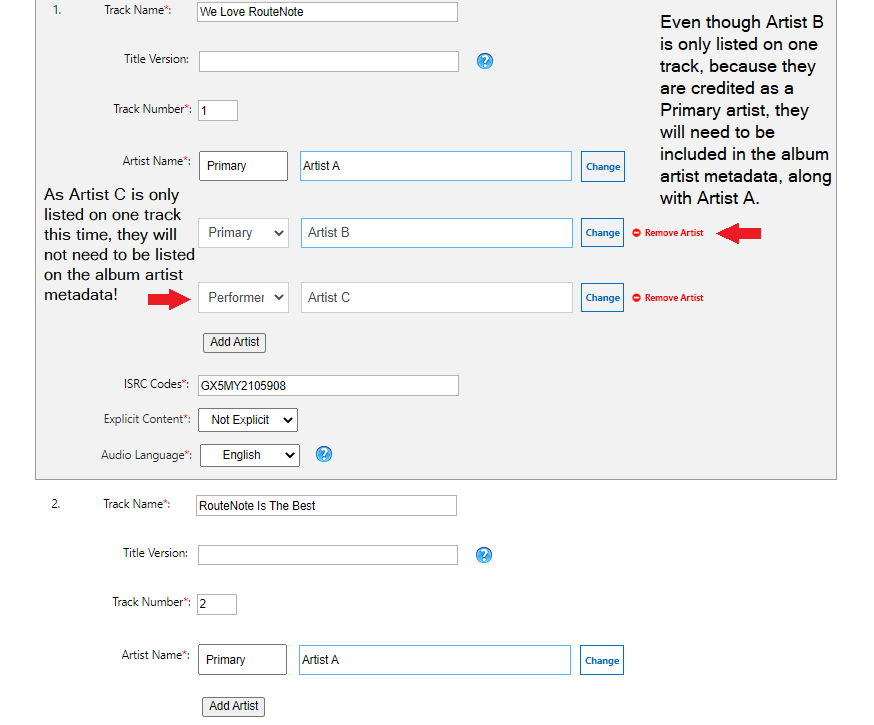
If an artist is credited on any of your tracks as a primary artist, then they must also be credited in the album artist metadata as a primary artist. The spelling, capitalisation, punctuation and the number of spaces in an artist name must be exactly the same in both places, otherwise stores will reject the release!
Any other artist roles can only go in the album artist metadata if they appear in all tracks in the same role. For example, if an artist appears on every track on the album as a performer, then they must also be credited in the album artist metadata as a performer.
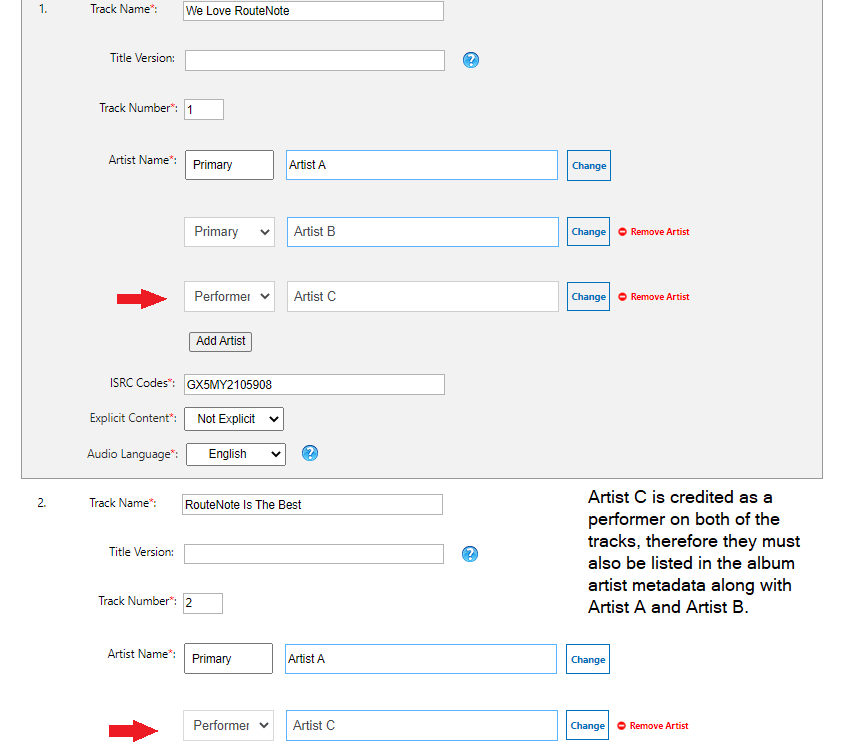
In this example, Artist C is only credited as a performer in one track and therefore they will not need to be listed in the album artist metadata.
If you have a featuring, with, or remixer artist who appears on all tracks on your release in the same role and are listed in the album artist metadata, then they must be credited in the album title the same way that they appear in the track title. This means the title would end up being ‘Album Title (feat. Artist Name)’.
For more information on how to format featuring artists, check out this support article — What is a featuring artist?
Check out the full RouteNote Style Guide here!
Feel free to get in touch with us if you have any questions or concerns!
See also:
How do I format single track releases?
How do I format various artist releases?