
Album versions are there to help you mark a difference between different versions of the same album.
Using a title version means you can have multiple releases uploaded to RouteNote with the same title, which stores would not allow otherwise.
For example, all of these releases would be accepted by our partner stores because they have correctly formatted title versions:
Release title: Dark Side Of The Moon
Title Version:
Release title: The Dark Side Of The Moon
Album title version: 2011 Remastered Version
Release title: The Dark Side Of The Moon
Album title version: Deluxe Edition
To edit your ‘Title Version’ on your release, you’ll need to be logged into your RouteNote account. Open your release within your discography and click on ‘Album Details’.
From here, you’ll be able to edit your ‘Album Version’ which is your title version for the whole release.
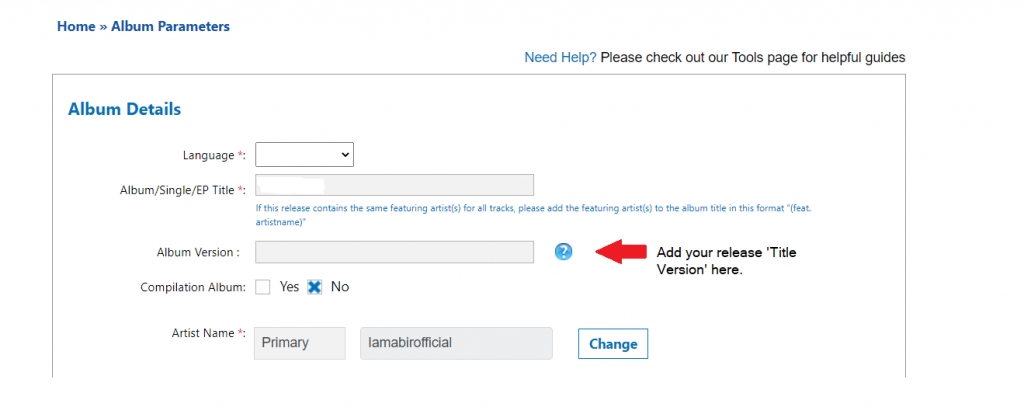
Don’t forget to click ‘Save and Continue’ at the bottom of the page!
Feel free to get in touch with us if you have any questions or concerns!
See also:
What is a ‘title version’, and how do I format it for a track?
What shouldn’t I include in my track/release ‘Title Version’?