
It might not be a lottery ticket, but you’ll still feel like a winner!
At RouteNote, our support team are dedicated to helping you – we don’t want you to miss out on any of our support!
To manage your support tickets and to check our responses, you’ll need to be logged in to your RouteNote account.
Hover over ‘Community & Support’ and you’ll see some drop-down options — click on ‘Support Tickets’.
From here you can see all of your support tickets and check for new responses from the support team.
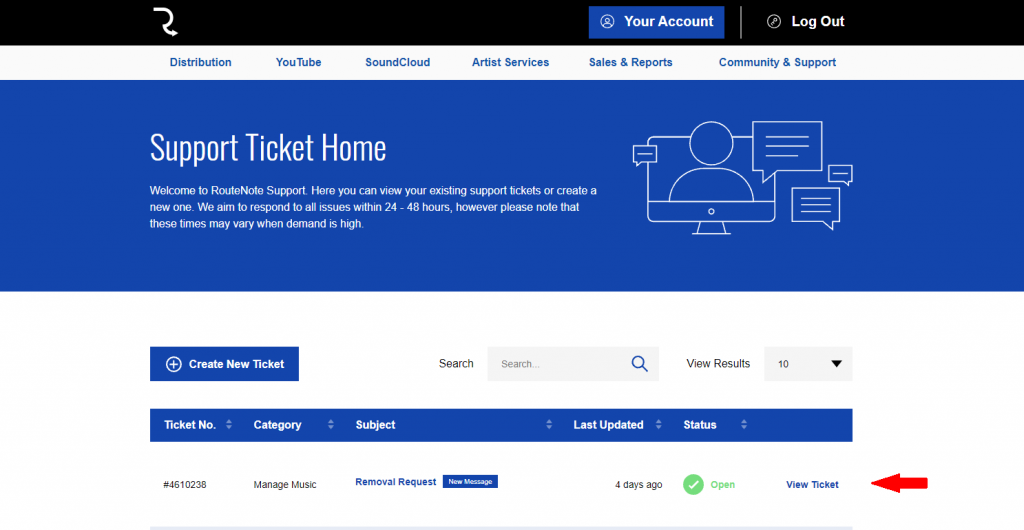
You will see a blue ‘New Message’ banner next to your support ticket subject. To view your ticket and to respond to the support team, click ‘View Ticket’.
In the meantime feel free to get in touch with us if you have any questions or concerns!
See also:
How do I create a support ticket?
What is a One Time Passcode (OTP)?
What should I do if I’ve forgotten my password?